
Privacy
How to Remove Your Face From Reverse Face Search Engines
Reverse face-search engines don't all use the same opt-out process. Learn how facial-search removal works, what an opt-out actually removes, and why the original image may require separate action.
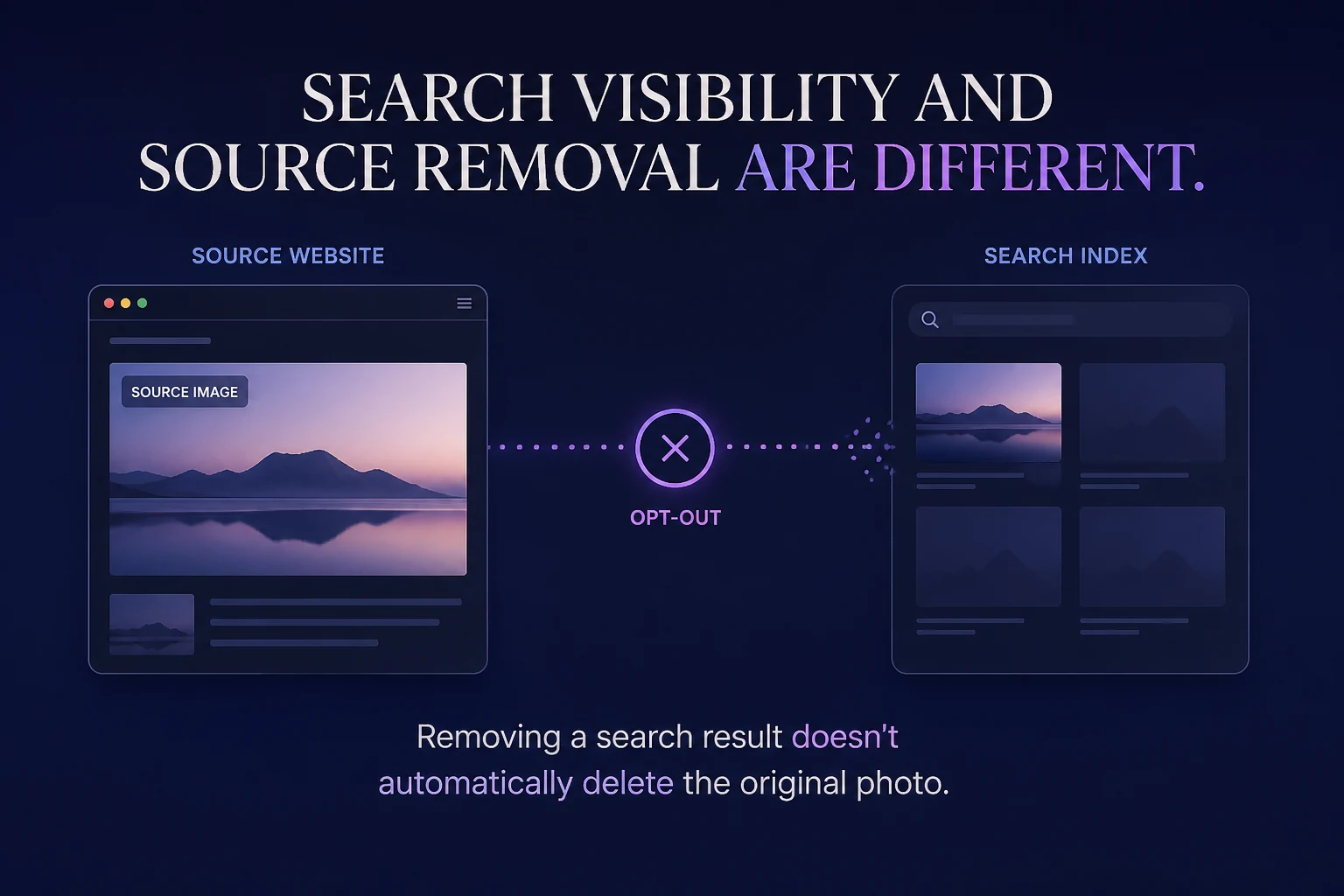
Getting your face out of search results may require more than one removal request.
Dedicated reverse face-search engines can make publicly indexed photographs easier to discover by searching with a face instead of a name.
Some of those providers also offer ways to exclude your likeness or selected images from their search results.
But opting out of a face-search engine doesn't usually erase the original photograph from the internet.
That's the distinction to understand before you begin:
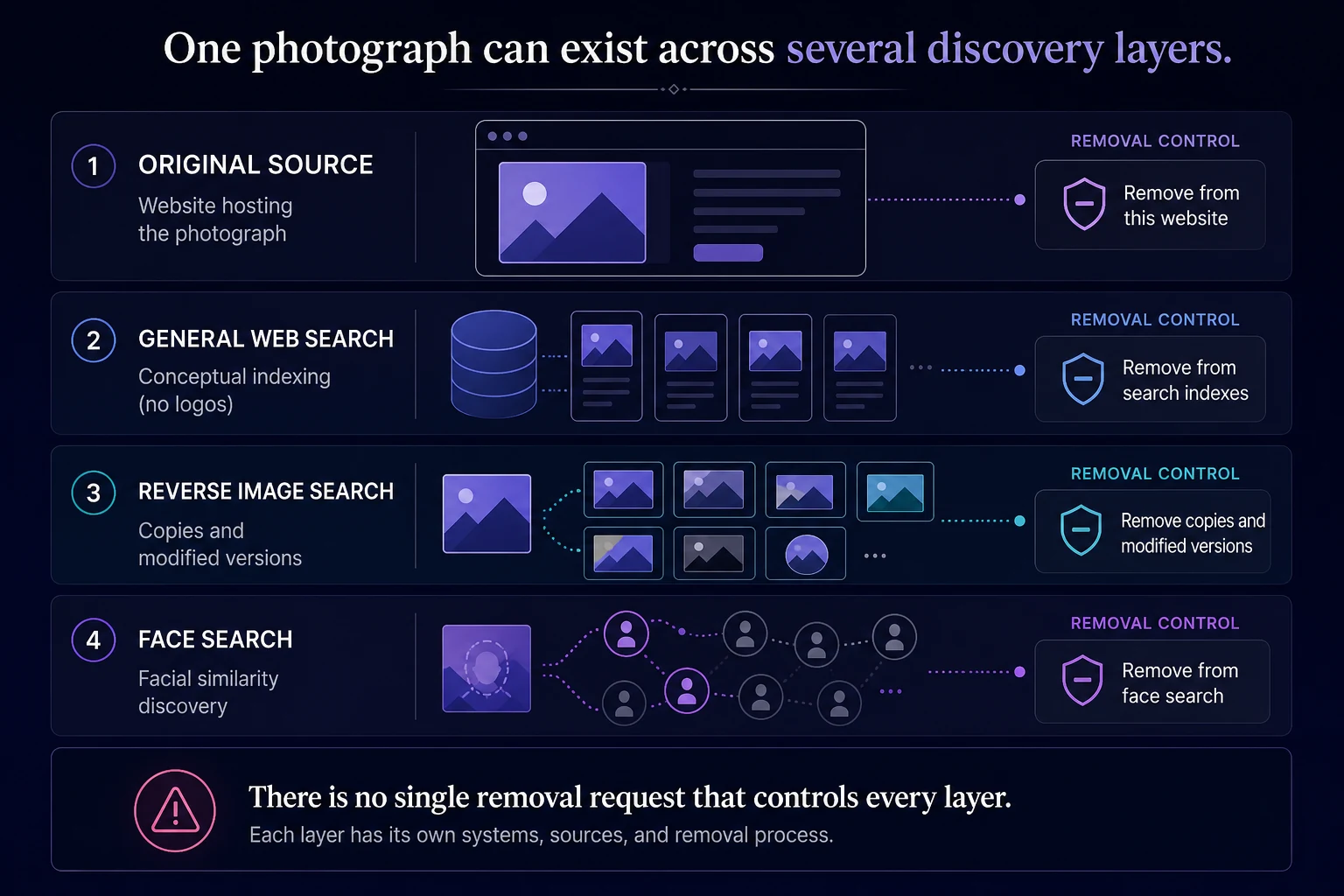
A face-search opt-out changes what a particular search service returns. Source removal changes what is actually published online.
Depending on your goal, you may need to do both.
Start by deciding what you want removed
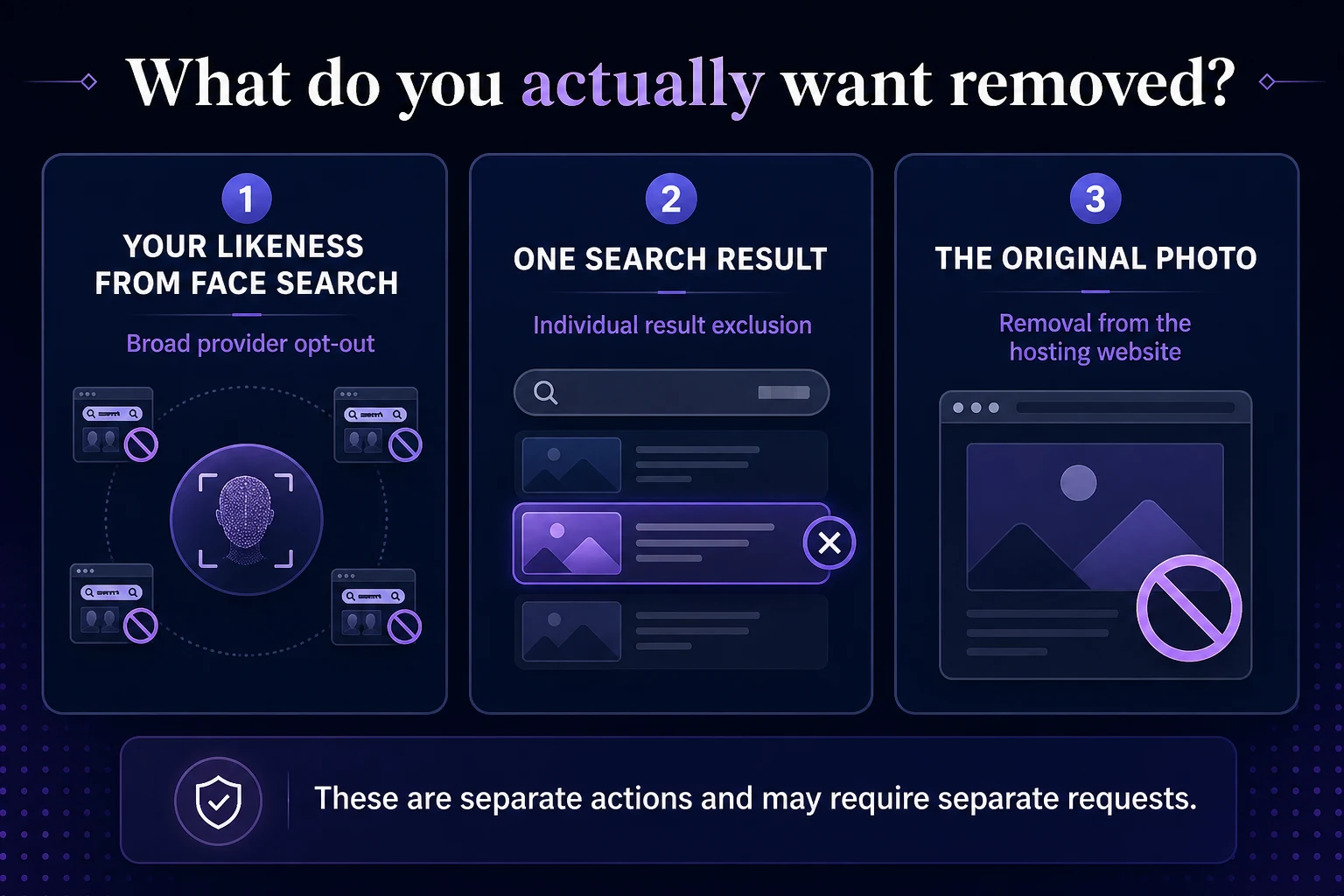
There are three different outcomes people often mean when they say:
"I want my face removed from search."
1. Remove your likeness from a face-search engine
Some dedicated facial-search providers offer an opt-out designed to stop images of your face from appearing in their search results.
2. Remove one particular search result
Some providers offer tools for excluding a specific image or result without opting your likeness out more broadly.
3. Remove the original image from the internet
This requires action at the website or platform actually hosting the photograph.
These are different processes.
A successful opt-out from a facial-search service does not necessarily delete the photograph from the source website.
Why source removal and search removal are separate
Imagine that a public webpage contains a photograph of you.
A face-search engine discovers that image and makes it searchable through facial similarity.
There are now two separate pieces:
The source — The website actually publishing the photograph.
The search index — The facial-search service that helps users discover it.
Removing the result from the search engine can make the image harder to discover through that particular service.
But if the source webpage still exists, the photograph itself remains online.
Likewise, deleting the source image doesn't necessarily mean every search index updates instantly.
Step 1: Search for your own face
Before submitting removal requests, it helps to understand what is actually appearing.
Use clear photographs of yourself and review the results carefully.
Different source photos may surface different candidate images, so consider searching with more than one photograph when you're reviewing your own public image footprint.
As you search, make note of:
which provider returned the result;
the source webpage;
the image involved;
whether multiple copies appear;
whether the original image is still live.
Don't assume every visually similar result depicts you.
A face-search result is a candidate for review, not identity confirmation. (How to Search the Internet for Your Own Face; How to Find Where Your Photos Appear Online.)
Step 2: Identify which search engine returned the image
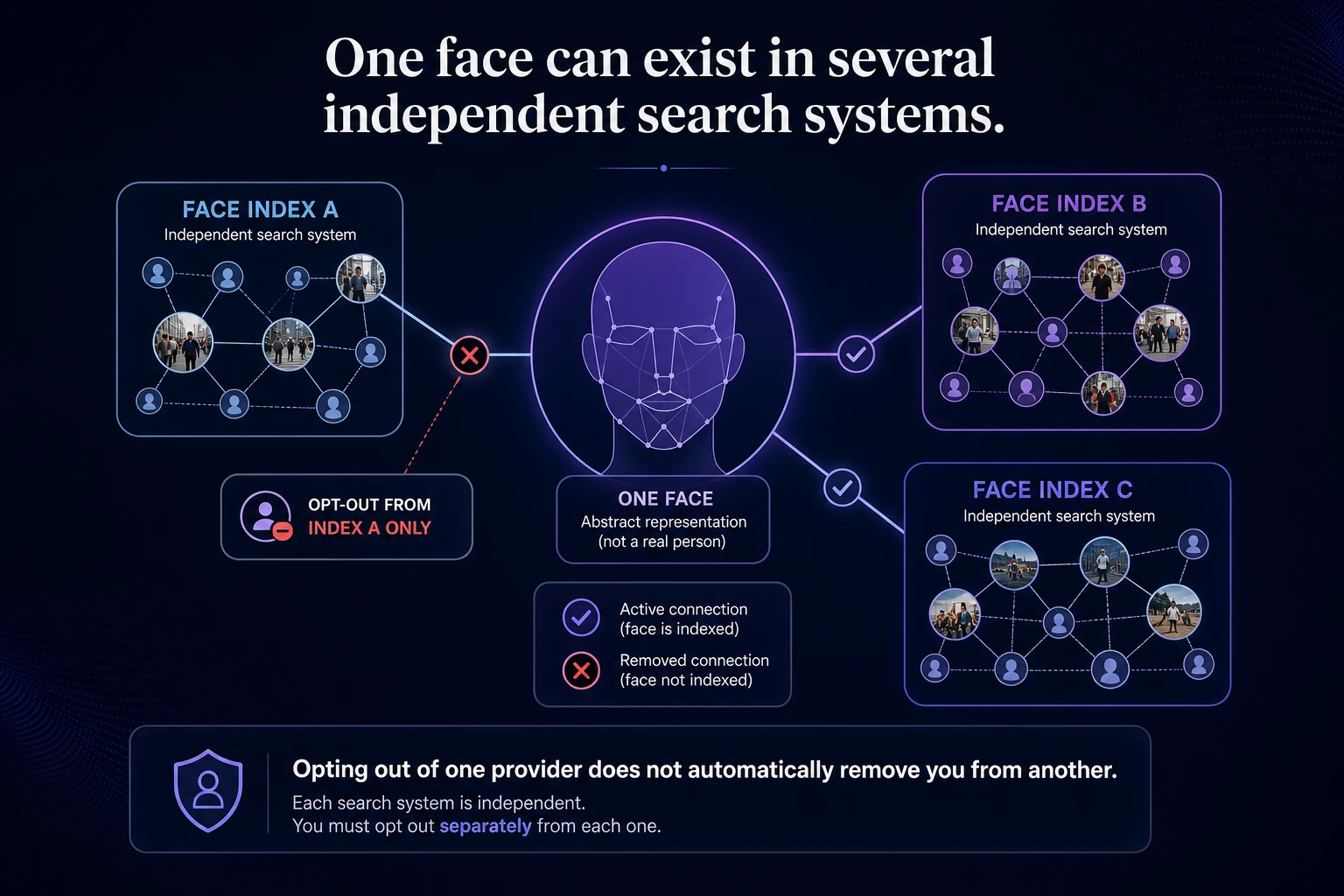
There is no universal face-search opt-out that removes you from every provider at once.
Each company maintains its own index and removal procedures.
Three of the major dedicated facial-search providers currently use noticeably different opt-out workflows.
PimEyes
PimEyes currently provides an official opt-out process that asks users to upload clear photos of their face, provide an anonymized ID or passport scan for identity confirmation, and supply an email address. PimEyes says the submitted face image is used to locate the relevant facial data and block images that may otherwise appear in its search results.
Full instructions: PimEyes Opt-Out Guide.
Lenso.ai
Lenso.ai offers facial recognition through its People search category and provides opt-out/removal options for users who want their face or particular images excluded from results. Lenso also distinguishes facial-search results from its broader duplicate and visual-image search categories.
Full instructions: Lenso.ai Opt-Out Guide.
FaceCheck.ID
FaceCheck.ID currently uses a different approach. Its removal process instructs users to search for themselves first, choose Remove My Photos, select the relevant images, and complete its verification process. FaceCheck describes the process as free and provides removal directly through its site.
Full instructions: FaceCheck.ID Opt-Out Guide.
The differences are why it's worth following current provider-specific instructions rather than assuming every facial-search service uses the same opt-out form.
There is no single standard for face-search opt-outs
One provider may ask for a reference photograph.
Another may require an anonymized identity document.
Another may use a selfie or other verification process.
Some providers distinguish between:
opting your likeness out;
excluding an individual result;
making a copyright-related request;
making a statutory privacy request.
The purpose of verification is generally to reduce the chance that one person can remove another person's facial-search results without authorization.
However, requirements can change.
Always use the provider's current official removal process rather than relying on an old form, cached instructions, or a third-party service that promises guaranteed deletion.
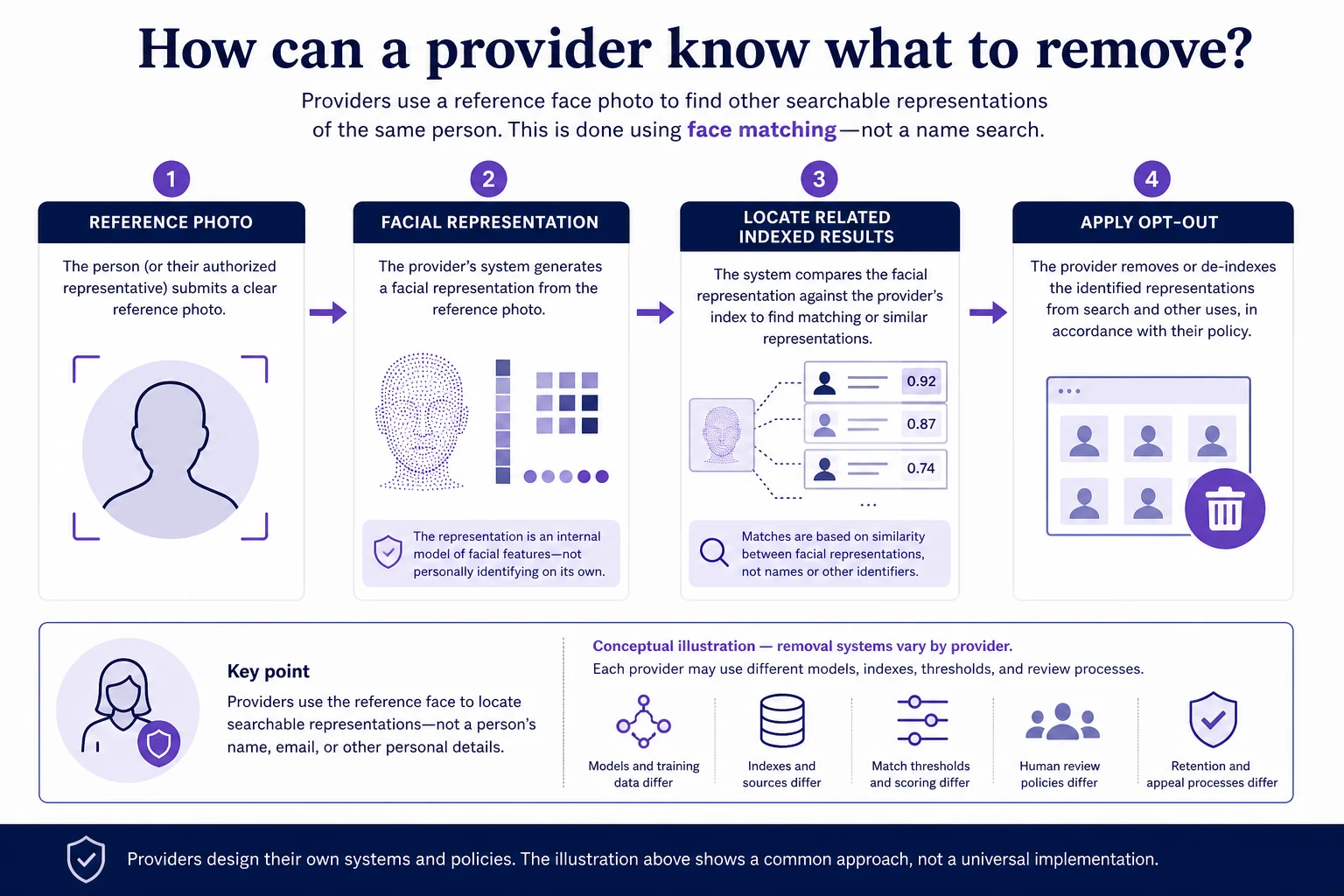
Why do some services need another photo of your face?
At first, this can seem backward.
You're trying to remove your face from a facial-search service, and the service asks you to upload another photograph.
But facial-search indexes generally aren't organized around something as simple as:
John Smith → delete
The system may not know your name at all.
Instead, the provider needs a facial reference it can use to locate the facial representations connected with your likeness.
PimEyes, for example, explicitly explains that its opt-out requires a face photo because its system stores face fingerprints from images found on publicly available websites rather than identifying information such as your name or email.
That reference photograph lets the provider identify what you're asking it to exclude.
Does opting out delete your biometric data?
The exact answer depends on the provider and its policies.
An opt-out can involve different actions, such as:
removing indexed results;
blocking a facial representation from appearing in future searches;
suppressing particular images;
deleting certain stored search data;
retaining limited information necessary to enforce the opt-out.
That last point is easy to overlook.
A provider may need some way to remember:
Don't return this likeness again.
So “opted out” does not automatically mean the company retains literally zero information associated with the removal request.
Read the provider's privacy and opt-out documentation carefully if the distinction matters to you.
Does opting out prevent your face from appearing again?
This also varies by provider.
Some facial-search services describe their opt-out mechanisms as applying to future indexing as well as current results.
Others may offer narrower removal of particular images or search results.
And even when a provider blocks future appearances of your likeness, that protection applies to that provider's search system.
It does not automatically prevent:
the photograph from remaining on the original website;
another face-search engine from indexing it;
general image-search engines from discovering it;
copies being hosted somewhere else.
That's why one opt-out should not be interpreted as:
"My face has been removed from the internet."
What if the same photo appears on several websites?
Copies complicate removal.
Suppose the same photograph appears on:
Website A
Website B
Website C
Removing it from Website A does not automatically delete the copies on B and C.
Likewise, one search provider may have discovered all three copies while another has indexed only one.
If your goal is broader removal, you'll need to work through the sources individually where necessary.
This is one reason documenting URLs before you begin can be useful.
Should you remove the original image first?
If you control the source, that's generally the most durable starting point.
Delete the image, make it private, or otherwise prevent public access where appropriate.
If someone else controls the website, look for the site's:
privacy process;
account/reporting tools;
image-removal process;
copyright process where applicable;
abuse/contact options.
Then address search-engine indexes separately if the image remains discoverable.
Some general image-search engines, such as Google, Bing, and Yandex, handle removal very differently from dedicated facial-search providers because they index webpages and images rather than maintaining a universal face opt-out.
CatchAFace maintains separate guides for those services. See: Face Search Opt-Out Guides.
What if you don't control the source?
An opt-out can still be useful.
If a face-search provider accepts your request, excluding your likeness from that engine can reduce one method people could use to discover the underlying photograph.
But the photograph may remain directly accessible through:
the source website;
conventional web search;
reverse image search;
another facial-search provider;
links shared elsewhere.
Think of search removal as reducing discoverability through a particular index, not necessarily removing the underlying publication.
Do you have to pay to opt out?
The official removal mechanisms we've reviewed for major dedicated face-search providers are not something you should have to purchase from CatchAFace.
Use the provider's official process.
Be cautious with third-party companies promising:
guaranteed removal;
permanent deletion from the internet;
removal from every face-search engine at once;
access to a special removal channel unavailable to ordinary users.
No service controls the entire web.
And no third party can guarantee that every future copy of an image will disappear from every independent search index.
How long does removal take?
There is no universal turnaround time.
Processing can vary depending on:
the provider;
the verification method;
whether manual review is required;
the number of results involved;
whether additional documentation is requested.
For example, FaceCheck currently describes its primary photo-removal workflow as potentially immediate after its automated process, while its exact workflow differs from PimEyes' identity-verified opt-out.
Use the processing guidance in the current provider-specific guide rather than assuming every face-search engine follows the same timeline.
What should you do after an opt-out?
Don't immediately assume the process failed if results don't disappear everywhere at once.
Instead:
1. Save the confirmation — Keep any request number, tracking URL, or confirmation email.
2. Recheck the provider — Search again after the provider's stated processing period.
3. Try more than one source photo — If the provider's opt-out is intended to cover your likeness broadly, checking with a different photograph can help you evaluate whether results remain.
4. Check other providers separately — An opt-out from one company does not automatically propagate to competitors.
5. Check the original source — If the image itself still concerns you, confirm whether it remains accessible on the website hosting it.
Removing yourself from one engine doesn't remove you from another
This deserves special emphasis.
PimEyes, Lenso.ai, FaceCheck.ID, and other visual-search providers maintain independent systems.
If you opt out of Service A:
Service B does not automatically receive that request.
Each provider may:
maintain a different index;
discover different images;
use different recognition technology;
have different removal requirements;
process removal on a different timeline.
For broader control of your public visual footprint, review each provider separately.
What about Google, Bing, Yandex, and TinEye?
These belong to a related but different category.
Google Images, Bing Visual Search, and Yandex Images are general web/image-search systems rather than dedicated face-search opt-out databases.
TinEye is primarily a reverse-image search engine that traces copies and modified versions of photographs rather than functioning as a dedicated facial-recognition index.
Their removal procedures therefore work differently.
CatchAFace has separate guides for:
Use those processes when you're trying to address the photograph itself or its presence in a broader image-search index.
Face-search opt-out vs. source removal
Goal | What to do |
|---|---|
Stop a face-search provider from surfacing your likeness | Use that provider's official opt-out |
Remove one result from a face-search service | Use its individual exclusion/removal process if offered |
Delete the actual photograph | Contact or control the source website |
Remove an outdated general search result | Use the relevant search engine's removal/update process |
Remove copies hosted on other sites | Address those sources separately |
Remove yourself from several facial-search providers | Submit requests to each provider individually |
What an opt-out cannot guarantee
Even a successful removal should not be interpreted too broadly.
It cannot guarantee:
That the original photo has been deleted. The source website controls that.
That other search engines won't surface the image. Their indexes are independent.
That no copies exist elsewhere. Reposts and mirrors can have separate URLs.
That your face can never appear publicly again. New photographs and publications can appear over time.
That the entire internet has forgotten the image. No single search provider controls the public web.
(What Reverse Face Search Can—and Cannot—Tell You.)
The most complete removal strategy
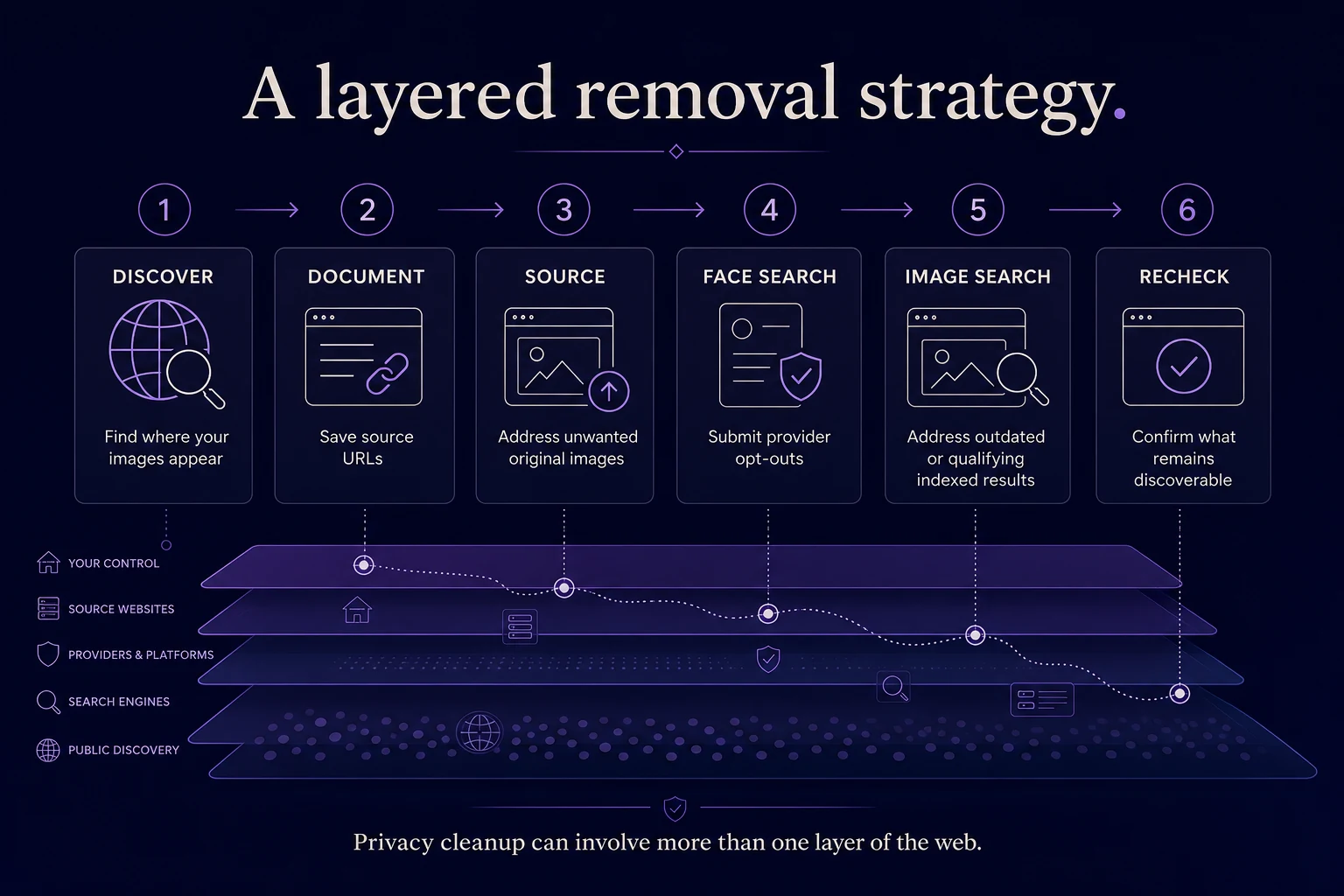
If your goal is to reduce where photographs of you can be discovered, think in layers:
1. Find the images — Search your own public image footprint.
2. Document the sources — Save the URLs and understand where the photos are actually hosted.
3. Address the original websites — Remove or request removal of unwanted source images where appropriate.
4. Submit face-search opt-outs — Use each facial-search provider's official process.
5. Address general search indexes — If outdated or qualifying results remain in Google, Bing, Yandex, or other search engines, use their appropriate removal tools.
6. Recheck periodically — The public web and search indexes change.
Removal is often a process rather than one button.
CatchAFace Opt-Out Guides
CatchAFace maintains step-by-step removal guidance for major face and image-search services.
Current guides include:
Because provider procedures can change, our guides are designed around the official removal processes offered by each service. Browse the full Opt-Out Guides hub.
Removal happens in layers
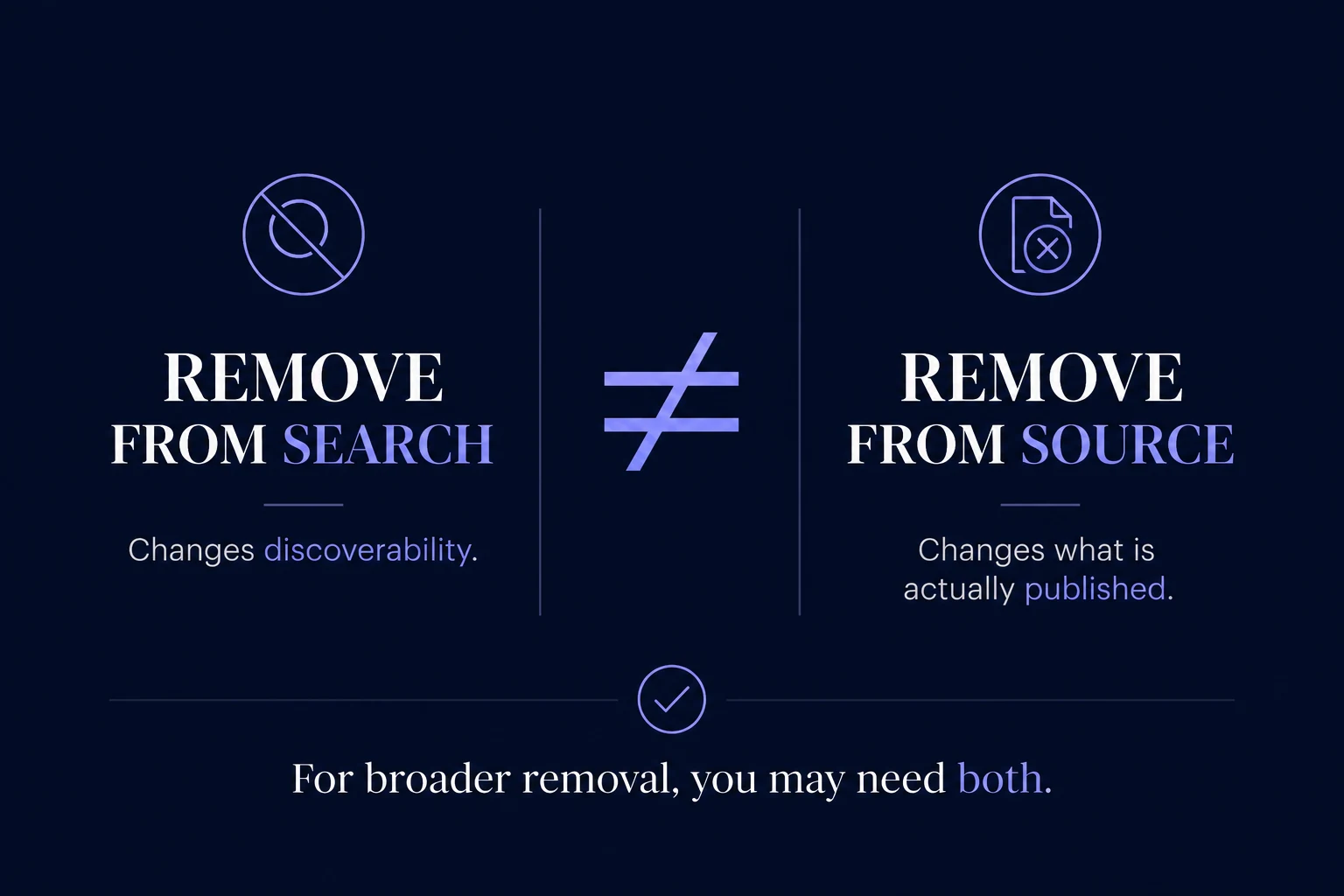
There is no master switch for removing a face from the public web.
A photograph can exist on a source website.
That website can be indexed by a general search engine.
The image can appear in a reverse-image index.
And the face inside it can become searchable through a dedicated facial-search provider.
Each layer is controlled separately.
The most important distinction to remember is:
Removing the search result changes discoverability. Removing the source changes what's actually online.
Understanding that difference makes it much easier to choose the right removal process — and to know what a successful opt-out actually accomplished.
Related Articles
Guides
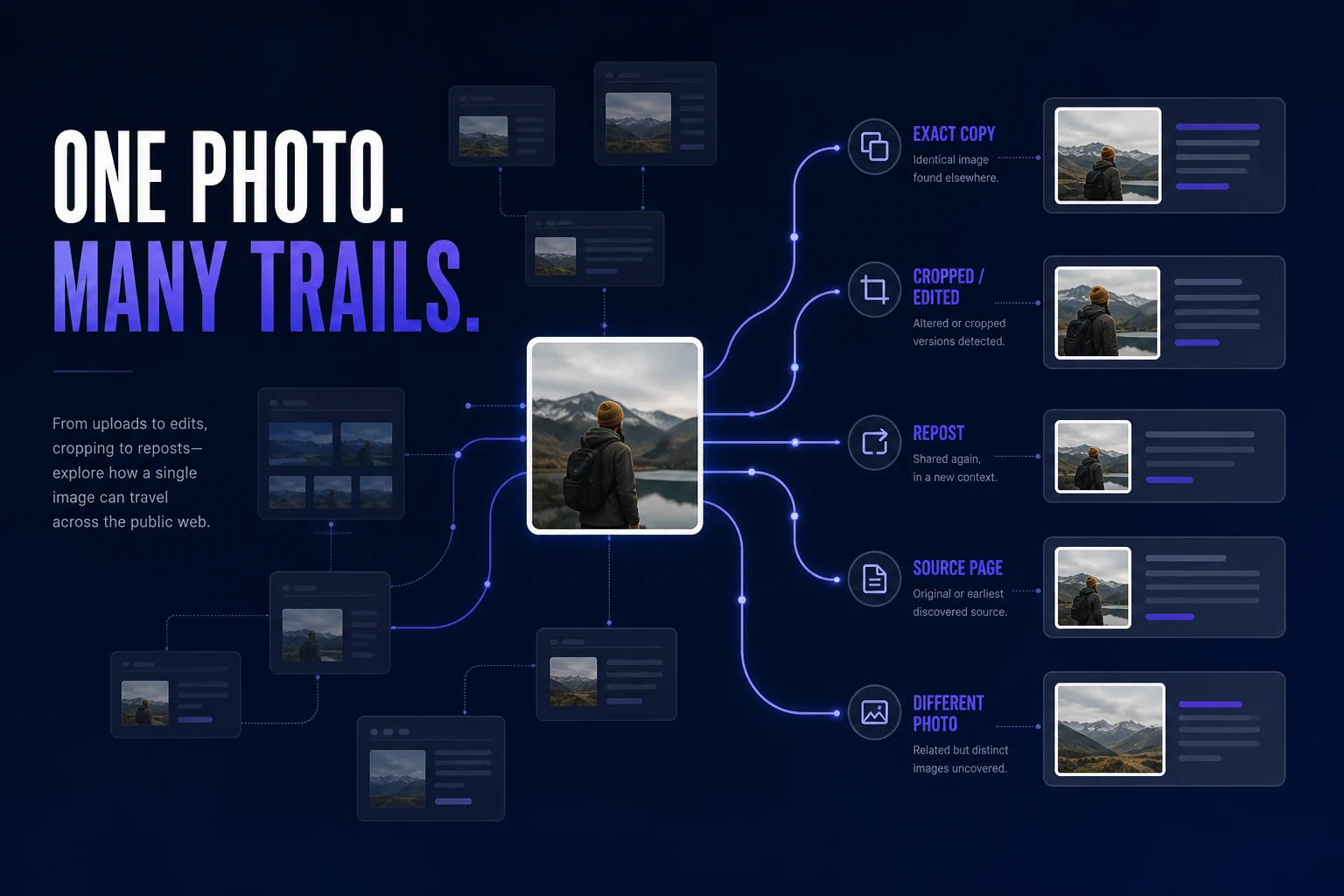
How to Find Where Your Photos Appear Online
Trying to find where a photo of you appears online? Learn how to search for exact copies, modified versions, different photos of your face, and the webpages behind the results.
7 min read

Guides
How to Search the Internet for Your Own Face
Want to know where photos of you appear online? Learn how to search for your own face, choose better search photos, review possible matches, and understand the limits of visual search.
6 min read
Responsible Use
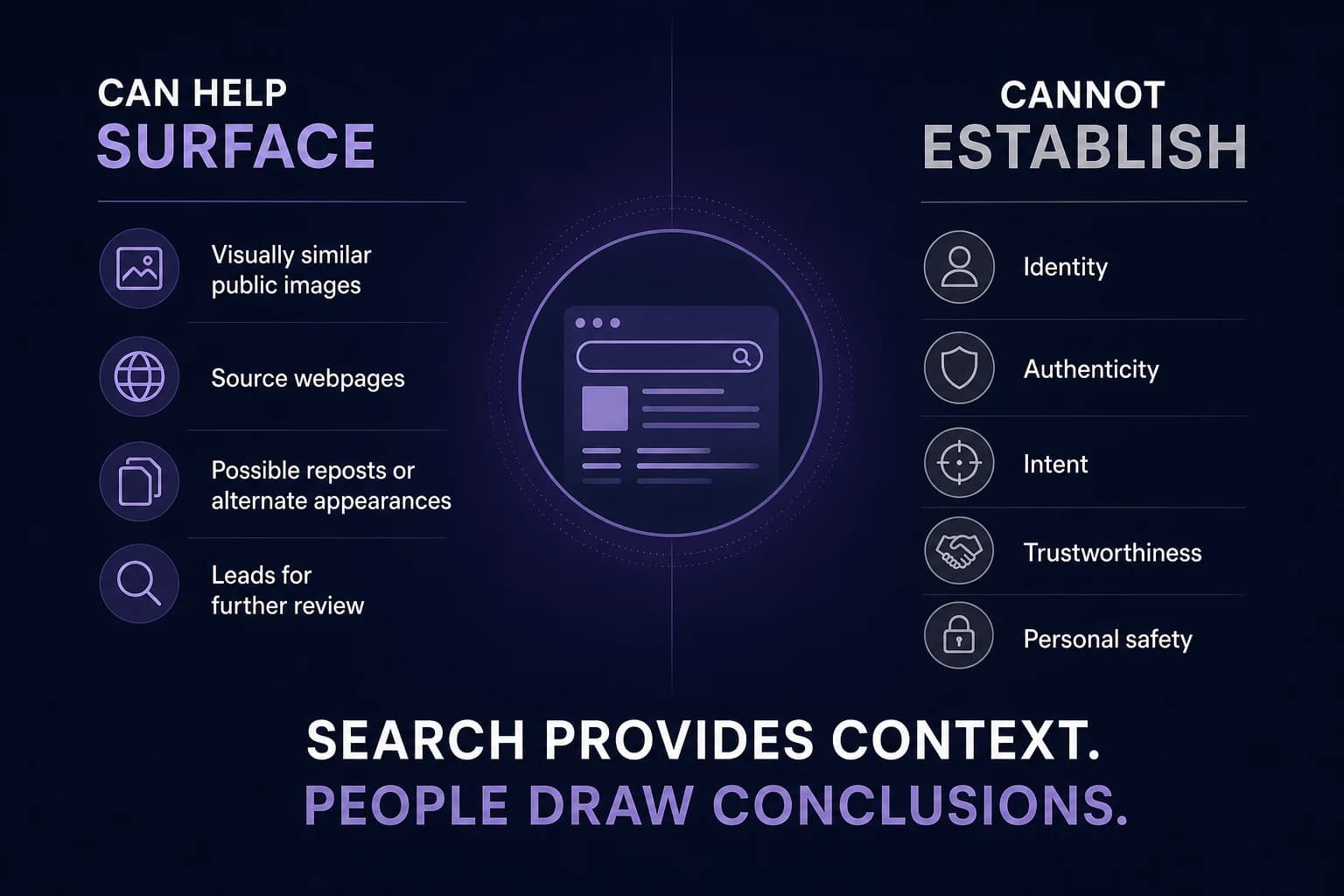
What Reverse Face Search Can—and Cannot—Tell You
Reverse face search can surface visually similar public images and useful source context, but it has important limits. Here's what a result can tell you — and what it cannot.
7 min read